WSL 2 is getting faster Windows file system access
From DrvFs in WSL 1 to Plan 9 to virtiofs, cross-OS file access in WSL 2 has improved with each generation. A new change gives each virtio device its own dedicated DMA pool, removing the last major contention point on the virtiofs path.

If your workflow crosses the Windows/Linux boundary, file I/O performance in WSL 2 has been getting steadily better. A change landed in WSL 2 in May 2026 that removes one of the last remaining bottlenecks on the virtiofs path. To understand why it matters, it helps to follow how cross-OS file access has evolved.
How we got here
WSL 1 (2016) handled Windows drive access through DrvFs, a custom filesystem driver running inside the Windows NT kernel. Because WSL 1 ran Linux processes directly on the Windows kernel through a compatibility layer, file operations on /mnt/c could reach NTFS almost directly. Performance was good for file-heavy workloads.
WSL 2 (May 2019) replaced that model with a full Linux kernel in a lightweight Hyper-V VM. That was the right trade: real Linux kernel calls, proper syscall compatibility, and much better performance for Linux-native workloads. For cross-OS access, the VM boundary meant a different approach was needed. Microsoft built a Plan 9 (9P) file server into the Windows-side WSL service. Your Linux session connects to it over a Hyper-V socket at boot, and file operations on /mnt/c travel through that 9P protocol channel.
9P over a Hyper-V socket works, but it has protocol overhead: each operation is bounded by a message size parameter (msize=65536, 64 KB). File-heavy workloads that hit many small files carry that overhead on every round trip. Microsoft has been iterating on this since WSL 2 launched.
Around 2021, virtiofs arrived as an experimental opt-in. Virtiofs uses the VirtIO transport for shared-memory file access, reducing serialization overhead compared to 9P. You enable it in the [wsl2] section of your .wslconfig with virtiofs=true. It has been working its way through incrementally since then: device reuse improvements in PR #40298, shared mmap support without DAX in PR #40426, and now the DMA layer fix.
The DMA layer
Virtual machines on Hyper-V perform DMA for I/O through bounce buffers: a reserved memory region below the 4 GB DMA boundary that hardware can address directly. The Linux kernel calls this the SWIOTLB pool. Until recently, all virtio devices in a WSL 2 session shared one global pool. A virtiofs mount for /mnt/c, one for /mnt/d, and the virtio network adapter all queued into the same buffer, contending with each other during heavy I/O.
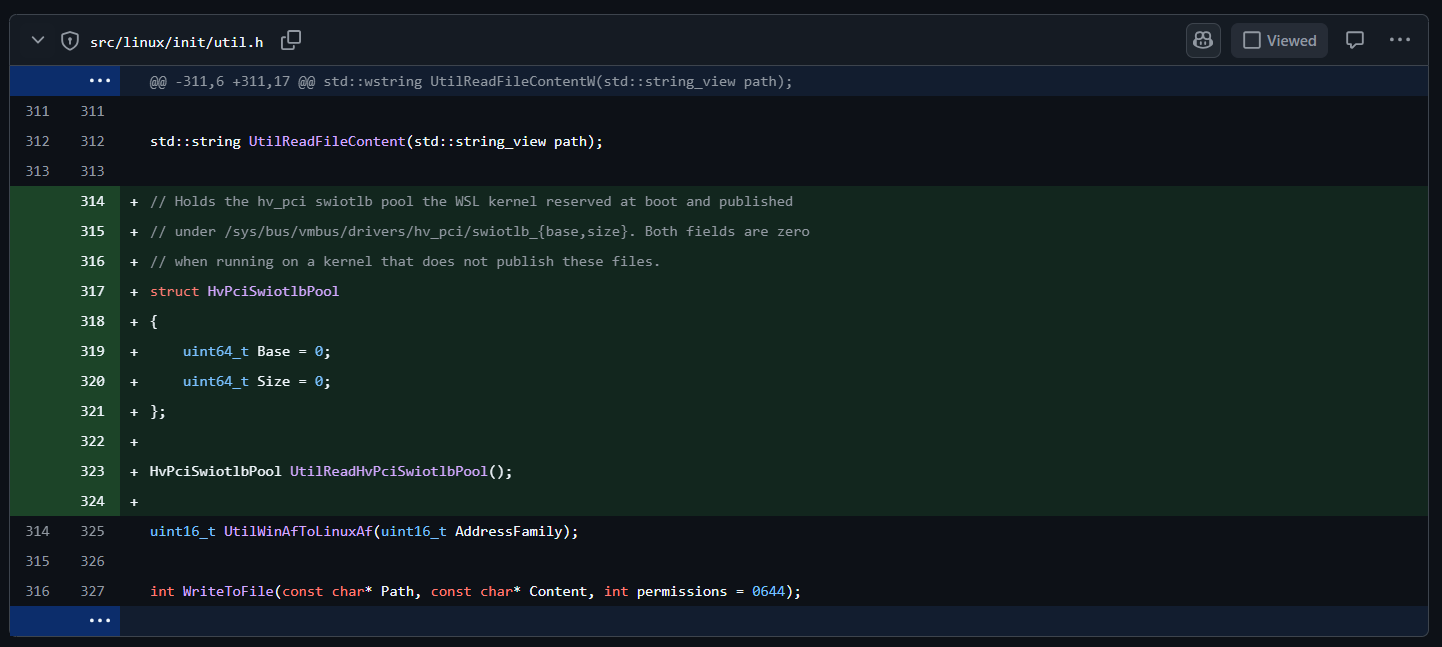
PR #40654, authored by Ben Hillis and merged May 27, 2026, gives each virtio device its own dedicated DMA pool. The kernel allocates a contiguous physical range below 4 GB at boot, publishes its address through sysfs (/sys/bus/vmbus/drivers/hv_pci/swiotlb_base and swiotlb_size), and the WSL service reads those values and injects a per-device swiotlb= option into each virtio device at creation time. No more shared queue between drives and the network adapter.
Note: this requires kernel Microsoft.WSL.Kernel 6.18.26.3-1, shipping with WSL 2 DeviceHost 1.2.29-0. If you are on an older kernel, WSL will tell you: "The running kernel is missing a patch that significantly improves virtio device performance. Update to a more recent WSL kernel to enable this optimization."
What this means in practice
The scenarios that benefit most are the file-heavy cross-OS workflows: working in a project that lives on a Windows drive but builds in Linux. If you keep your code under C:\Users\you\code and run cargo build, npm install, or mvn package from /mnt/c, every file read pays a cross-OS I/O cost. The per-device pool removes one of the remaining contention points on the virtiofs path.
VirtioProxy networking also benefits, since it shares the same DMA infrastructure and gets its own pool too.
To get the most out of this:
- Set
virtiofs=truein the[wsl2]section of your.wslconfig. - Update to the latest WSL kernel with
wsl.exe --update --pre-release. - Keep your WSL 2 session RAM above 1 GB. The SWIOTLB pool needs at least 64 MB of headroom.
Virtiofs remains opt-in for now: the default transport is still Plan 9 over a Hyper-V socket.
The longer arc
WSL filesystem performance across the OS boundary has gotten better with each generation. WSL 1's DrvFs was fast because there was no VM boundary. WSL 2 introduced the VM and the shift to 9P. Virtiofs closed most of the gap. Per-device SWIOTLB pools remove contention at the DMA layer. The gap keeps narrowing.
The default is still Plan 9 over a Hyper-V socket. Virtiofs is still opt-in. The work is ongoing in the open at github.com/microsoft/WSL.