Azure Linux "Desktop": A Build 2026 mashup of wslc, WinUI Reactor, and Azure Linux 4.0
A nifty Windows app that boots a full Linux desktop in a window, wiring together the wslc container API, WinUI Reactor, Azure Linux 4.0, .NET 10, with a pinch of nostalgia.

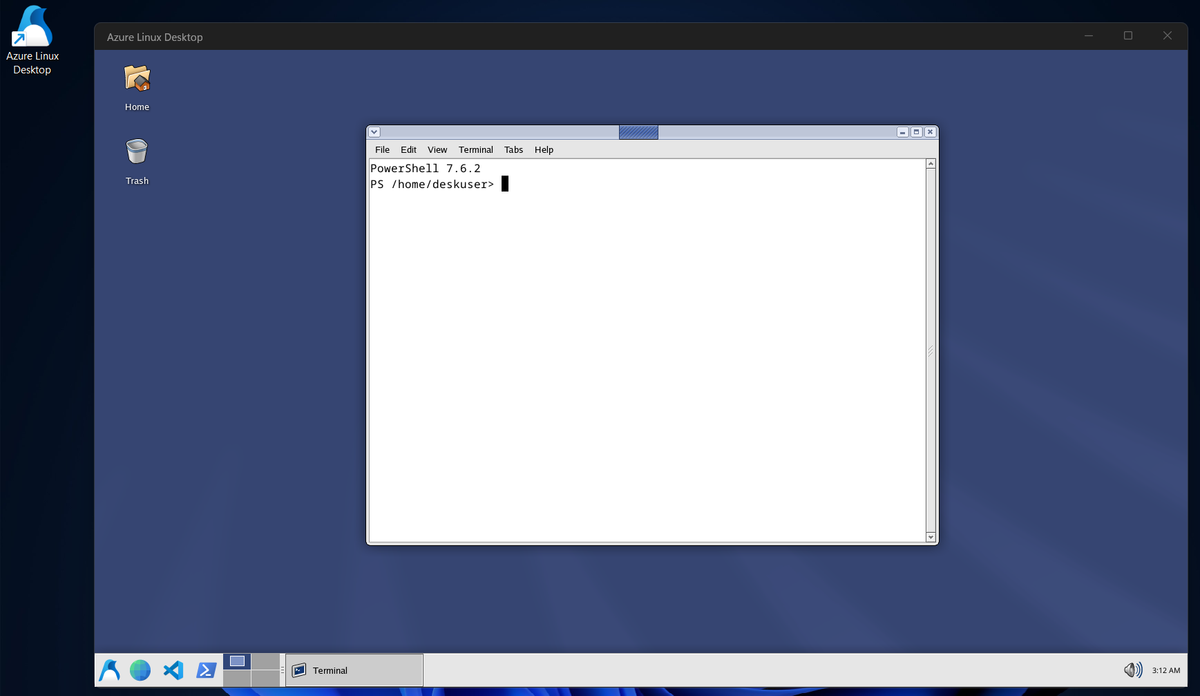
I made a thing...
I wanted to try out some of the cool stuff that came out of Microsoft Build 2026.
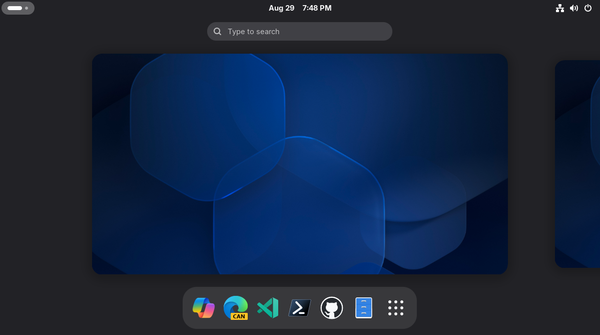
Azure Linux "Desktop" is a small Windows app that boots a full Linux desktop in a window. It opens, starts an embedded Linux container, and a few seconds later you are looking at a themed XFCE desktop running on Azure Linux 4.0, with working audio, GPU acceleration, copy and paste, and a display that resizes with the window. No buttons, no setup wizard, no terminal. You launch the app and you are at a Linux desktop.
I was inspired in part by Craig Loewen's Herbert demo. I had to take it a bit further because I have a problem.
I will say this up front. It is a toy. The build steps require compiling unstable WSL from main to get the container runtime early, it shoves Fedora desktop packages onto a server distribution that was never meant to have them, and it leans on an early source build of a WinUI experiment.
 sirredbeard
The four pieces
Four things from Build 2026 do the work here. Each one is interesting on its own. Together they make the demo.
The wslc container API
wslc is the new Linux container runtime for Windows. I wrote about it separately, but tl;dr it runs OCI containers natively in Windows, with a CLI and an API. This app uses the API directly: it creates a session, loads an image, creates a container with a port mapping, and starts it.
wslc has not landed in WSL yet. It will, in a few weeks. through wsl.exe --update --pre-release before it goes stable in WSL. The code is already in WSL though, which is open source, so you can build it from main and use it early if you want. YMMV.
WinUI Reactor, and no XAML
The app is a Microsoft UI Reactor app. Reactor is new a code-first way to build WinUI 3 interfaces: you write the UI as composable functions and state hooks in C#, the way you would in React, instead of authoring XAML and code-behind. There is not a single .xaml file in this project. Thankfully.
The whole interface is built in App.cs from Reactor factories: a title bar, a boot page, and the desktop surface, switched by state. The boot screen and the embedded desktop are both Reactor elements.
Azure Linux 4.0
Azure Linux 4.0 is the base image. It is Microsoft's Linux distribution, and version 4.0 is built from a snapshot of Fedora Linux 43. That detail matters for this project, because Azure Linux ships no desktop or GUI packages. It is a general purpose server and container distribution.
Because it is a Fedora 43 snapshot under the hood, you can point at Fedora 43 repositories and pull XFCE in from there, and...it mostly works. This is a bad hack and I would not do it in anything real, but it is a good illustration of what a shared package lineage buys you. Yay open source, again.
.NET 10
The app targets .NET 10 and WinUI 3, packaged through the Windows App SDK. dotnet run launches it with package identity, ReadyToRun precompiles for a faster cold start, and a single publish command produces an x64 or ARM64 build. The whole thing is one .slnx you build with dotnet build.
How it works
The flow is short. The app opens to a boot screen with the Azure Linux logo and a spinner. Behind that page it makes sure the desktop image exists, building it on first run, then asks wslc to start the container. The container runs XFCE behind an XRDP server. The app connects to that server over loopback, parks the Windows RDP client over the window, and when the session is on screen it unmounts the boot page. The window becomes the desktop.
The RDP client signs in automatically and fills everything below the title bar. From the outside it looks like the app simply is a Linux desktop. There is no visible container, no visible RDP prompt, no visible plumbing.
Some neat hacks
The interesting parts are where these pieces did not fit together cleanly. A few of my favorites.
The boot spinner is real composition, not a GIF
The Windows-style boot circle on the loading page is six dots orbiting a center, and they bunch and spread the way the real OS boot spinner does. It is built as raw composition visuals: each dot is a sprite shape whose offset runs a looping Vector3 keyframe animation sampled from an eased sweep, with each dot lagged in time so they trail. It starts on mount, loops forever on the compositor, and runs no managed code per frame.
Hosting the RDP control under WinUI
The desktop surface is the Windows RDP client ActiveX control, mstscax.dll. Really. Getting it to paint inside a WinUI window took...work. Its DirectX presenter never paints when the control is reparented under a WinUI DesktopChildSiteBridge, and the control crashes outright if you create it hidden or restyle it as layered.
So it does not live inside the WinUI tree at all. It lives in a borderless WinForms window that is owned by the main window, parked off-screen until it is ready, then glued over a placeholder rectangle by a tracking timer that follows the window as it moves and resizes. Reactor draws the window and the boot UI, the owned form carries the RDP surface, and a timer keeps them lined up. It is not elegant, but it works.
Timing
The container clock already tracks the host through Hyper-V time synchronization. The launcher converts the host's Windows timezone ID to its IANA name and re-points /etc/localtime at container start, so the desktop clock matches the host without touching the clock itself.
A few useful tidbits
Some hard-won facts from building the container image. Verify before assuming any of them still hold.
- Rasterize SVG icons at build time. Fedora 43 dropped the librsvg gdk-pixbuf loader. SVG decode now goes through glycin, which sandboxes with bubblewrap, and bubblewrap cannot create user namespaces inside the container. The result is that every SVG icon renders as a missing placeholder. The fix is to rasterize every theme SVG to PNG during the image build and leave bubblewrap installed so any leftover call fails quietly.
- Audio over RDP needs a compiled module. The container sessions are separate virtual machines, so there is no WSLg audio to borrow. The path that works is pipewire-module-xrdp, compiled against the image's own PipeWire in a build stage, then started in sequence after pipewire-pulse is up.
For nostalgia, the XFCE desktop wears a recreation of the Bluecurve theme, the look Red Hat shipped in 2002. IYKYK. The image also installs Visual Studio Code and PowerShell, because a desktop needs an editor and a shell.
This is Azure Linux, after all.
Building it
The repository has the full steps, but the shape is this. Clone with submodules, run the setup script to get the prerequisites (.NET 10 SDK, the Visual Studio components, CMake), then build and install WSL from the bundled source so you have wslc early. Build the Azure Linux XRDP image, flip EnableWslcSdk to true in the app project, then dotnet build and dotnet run.
Building WSL from main replaces your installed WSL with a fresh build. You should probably not do this on a machine you need WSL to stay rock-solid stable on. It is a one-off. The point was to take the pieces Microsoft showed at Build 2026 and see what happens when you wire them together.
A Linux desktop, in a window, from a container, on Windows, with no XAML in sight.
Yay open source.