wslc: A native Linux container runtime for Windows
wslc brings native OCI-compatible Linux containers to WSL: a Docker-compatible CLI, GPU passthrough via CDI, a full C/WinRT/C# SDK, and a plugin API that lets Windows applications mount folders, spawn processes, and react to container lifecycle events as native Windows handles.

WSL has always been about reducing friction between Windows and Linux. First came the syscall translation layer. Then a full Linux kernel. Then GPU passthrough and systemd. The next piece is wslc: a native Linux container runtime built directly into WSL, with a Docker-compatible CLI and a plugin API that lets Windows applications drive containers directly. It has not been formally announced, but the code is public in microsoft/WSL, so everything here is grounded in what is already merged.
What wslc is
wslc ("WSL Containers") runs OCI-compatible Linux containers inside a dedicated Hyper-V VM, managed from Windows through a new binary: wslc.exe. The VM is separate from your regular WSL 2 distros.
The Windows side talks to the VM over Hyper-V sockets, multiplexed through a single channel. Messages like WSLC_FORK, WSLC_MOUNT, and WSLC_UNIX_CONNECT go in, and the init handler inside the VM dispatches them. The Docker Engine REST API is proxied the same way: WSLC_UNIX_CONNECT relays a Windows-side connection to /var/run/docker.sock in the guest.
The VM defaults are modest and configurable through the SDK:
- 2 vCPUs
- 2000 MB of RAM
- 32 GB dynamic VHDX
- 5 minute boot timeout
The CLI
The command surface will look familiar to anyone who has used Docker:
wslc run ubuntu:24.04
wslc container list
wslc pull postgres:16
wslc exec  bash
wslc image list
wslc logs
wslc stop
wslc rm
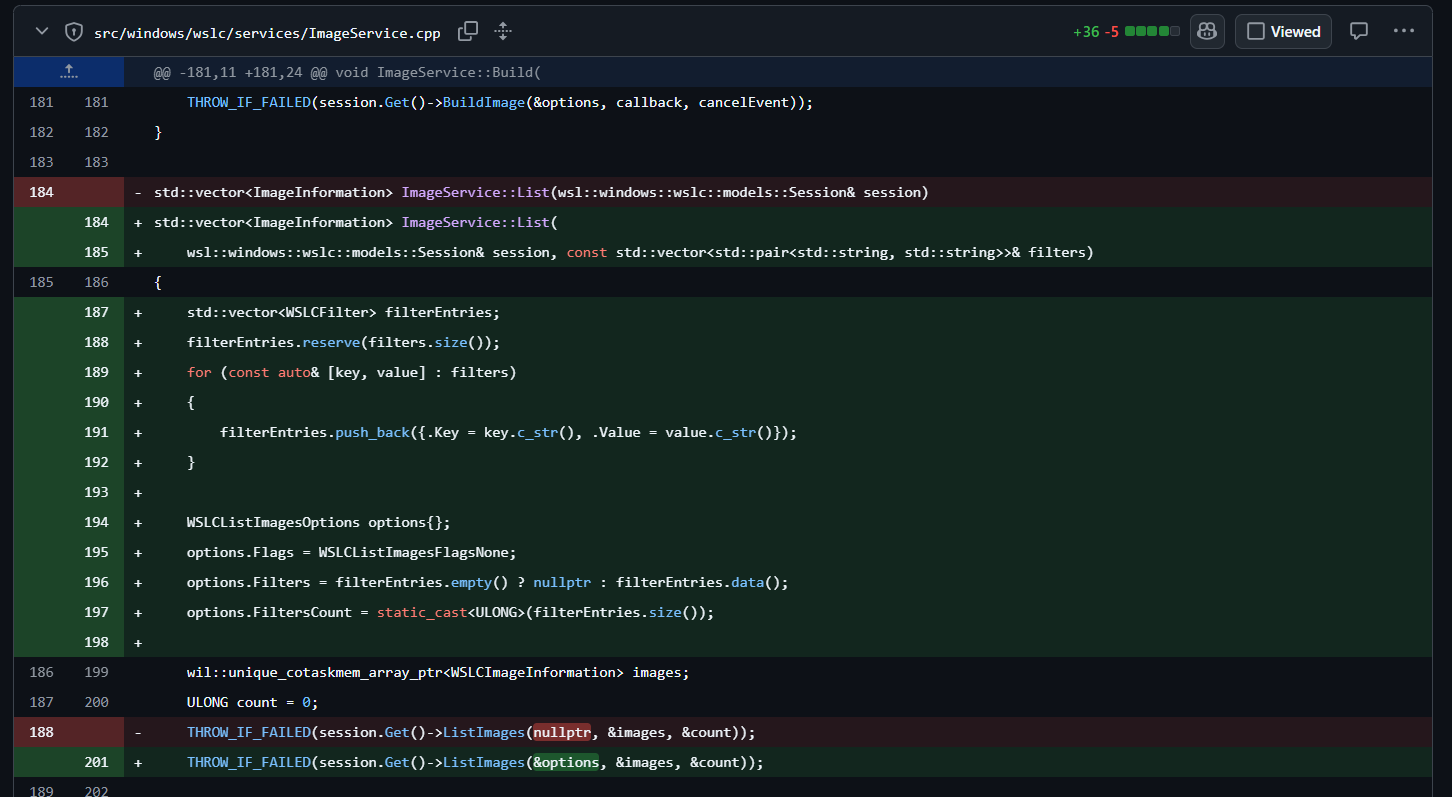
There are container, image, volume, session, and registry subgroups. wslc session shell drops you into the VM's init namespace for debugging. wslc run supports port publishing, environment variables, volume mounts, working directory, user, entrypoint, and command overrides. Recent work added --filter to image list and image prune (PR #40671) and --since, --until, and --timestamps to logs (PR #40667).
Bind mounting Windows folders
You mount a Windows folder into a container the way you would expect:
wslc run -v C:\Users\me\project:/workspace ubuntu:24.04Underneath, the path is validated, then shared into the VM through a privileged HCS AddShare call that returns a share GUID. The guest mounts it one of two ways: the legacy path uses Plan 9 (9p over an HV socket file descriptor), and the newer path uses virtiofs behind a feature flag. The virtiofs path reuses an existing share if the same Windows folder is already mounted with the same access mode, which avoids piling up devices on the host.
GPU support
wslc passes the GPU through via CDI (Container Device Interface) v0.6.0. At VM boot, the init handler writes a CDI spec for the WSL GPU device into /etc/cdi/microsoft.com-wslc.json and configures Docker to use it. The CDI kind is microsoft.com/wslc and the device identifier is microsoft.com/wslc=gpu, backed by /dev/dxg. The Windows GPU driver libraries are mounted in from the host and assembled with an overlay filesystem, the same approach WSLg uses. For ML work that needs a GPU inside a container, this runs on the same Windows GPU driver your desktop already uses.
Driving containers from Windows applications
The most interesting piece for Windows developers is the plugin API, added in PR #40521 and introduced in WSL 2.9.0. wslc extends the existing WSL plugin DLL interface with hooks and API calls specific to the container runtime.
A Windows application that loads a wslc plugin DLL receives lifecycle hooks:
OnSessionCreatedandOnSessionStopping: the VM session lifecycle. An error fromOnSessionCreatedaborts the session.ContainerStarted: fired after the container is actually running, with the full Docker inspect JSON. If the hook returns an error, wslc stops the container and propagates the failure.ContainerStopping: fired before a container stops.ImageCreated: fired when an image is pulled or imported (not on local build or load).ImageDeleted: fired when an image is removed.
The plugin also gets API calls it can make back into wslc:
WSLCMountFolder: mount a Windows folder into the session VM on demand, returns the Linux mount point.WSLCUnmountFolder: unmount it.WSLCCreateProcess: start a process in the VM's root namespace with full argument and environment control.WSLCProcessGetFd: get stdin, stdout, or stderr back as a Windows HANDLE.WSLCProcessGetExitEvent: a Windows event HANDLE signaled when the process exits.WSLCProcessGetExitCodeandWSLCReleaseProcess: read the exit code and clean up.
Put together, a Windows application can mount its own folders into the container VM, spawn processes there and wire their I/O straight to Windows handles, and react to container lifecycle events as native Windows events. An IDE that brings up a build container when you open a project, streams its output to a terminal pane, and tears the workspace down when you close the project is exactly the kind of integration this is built for.
The SDK
wslc ships a public C API (wslcsdk.dll), a WinRT projection, and C# bindings. Applications can manage containers programmatically: pull images, create containers, wire up stdio through Windows handles or async callbacks, publish ports, and mount volumes. The plugin API sits on top of this and adds the event-driven layer. It is marked as a preview API and subject to change, so pin your versions.
Networking and enterprise control
wslc supports three VM networking modes (none, NAT, and a virtio proxy mode) and the usual per-container network types: bridge, host, none, and joining another container's network namespace. Port publishing currently relays localhost TCP.
For managed environments, there is a registry allowlist enforced at the service boundary, so it applies to the CLI, the SDK, and plugins alike. A pull from a registry that policy does not permit fails with WSLC_E_REGISTRY_BLOCKED_BY_POLICY, controlled through the WSLContainerRegistryAllowlist group policy. wslc registry login and logout handle authentication to private registries.
How wslc fits alongside Docker Desktop
Docker Desktop and Podman both work well on Windows and will keep working. wslc is a different shape: it is built into WSL, uses the same Hyper-V infrastructure, and exposes containers to Windows applications through the plugin API and SDK rather than only through a CLI and a socket. The CLI is deliberately Docker-compatible and the container operations use the Docker Engine API schema, so the commands you know carry over.
Where it adds something new is the integration surface for Windows apps.
Use cases
Containerized dev dependencies. Bring up a Postgres 16 or Redis 7 container from Windows, mount your project in, and tear it down when you are done.
GPU-accelerated ML containers. Pull a CUDA image, pass the GPU through with CDI, and run training in an isolated container against your Windows GPU driver.
Build isolation wired into an IDE. A plugin registers, receives ContainerStarted when a build container comes up, mounts the workspace with WSLCMountFolder, runs the build with WSLCCreateProcess, streams stdout to the editor through Windows handles, and cleans up on exit.
Managed enterprise rollouts. The registry allowlist and service-boundary policy enforcement make wslc fit into environments that need to control where images come from.
Portable toolchains. Ship a wslc pull and wslc run in your README instead of a page of "install these packages" instructions.
What to watch
wslc is under active development in the public microsoft/WSL repository. The plugin API landed in PR #40521 (OneBlue), per-device SWIOTLB pools that speed up virtiofs and the container rootfs path landed in PR #40654 (Ben Hillis), and image filtering landed in PR #40671 (kvega005). Recent work has also gone into the I/O channel layer and log filtering.
Native Linux containers on Windows, wired into the Windows application model.